
Your Technology Stack Has Expiration Dates Even When the Software Doesn’t
Cybersecurity & Digital Resilience
Read time: 8–10 minutes
Your Technology Stack Has Expiration Dates Even When the Software Doesn’t
Technology rarely announces the exact moment it becomes a business risk. Systems keep running, plugins keep loading, integrations keep passing data, and old hardware keeps blinking. The danger is assuming “still working” means “still supported, secure, and reliable.”
KEY TAKEAWAYS

- Technology can remain functional long after it becomes unsupported or risky.
- Aging plugins, integrations, certificates, hosting environments, and hardware can create hidden dependencies.
- “We haven’t had a problem yet” is not the same as resilience.
- Technology lifecycle planning should include support status, ownership, backups, compatibility, and replacement timing.
- The best time to replace a fragile dependency is before it fails.

The expiration date is often invisible
Most businesses do not think about technology in terms of lifecycle. They think about whether it works. If the website loads, the CRM opens, the integration runs, and the server is still online, the assumption is usually that everything is fine.
Sometimes it is. Sometimes the system is already living on borrowed time.
- Software can remain functional after vendor support ends.
- Plugins can continue running after development stops.
- APIs can work until a provider changes them.
- Certificates can expire overnight.
- Hardware can stay powered on while becoming increasingly difficult to replace.
A system does not have to be broken to be fragile. That distinction is where technology lifecycle planning begins.
1. “Still working” and “still safe” are not the same thing
A legacy system may continue doing exactly what it has always done. That does not mean the environment around it has stayed the same.
- Operating systems change.
- Browsers change.
- Security expectations change.
- Dependencies change.
- Vendors change.
- New vulnerabilities are discovered.
A tool can remain technically operational while becoming harder to patch, harder to support, or more exposed to failure.
The problem is not age by itself. The problem is unsupported age combined with business dependence.
2. Every technology stack contains dependencies
Business technology is rarely one isolated system. A website may depend on:
- hosting
- DNS
- plugins
- themes
- third-party APIs
- email services
- payment processors
- analytics
- forms
- security tools
- certificates
A CRM may depend on:
- integrations
- authentication providers
- automation platforms
- custom fields
- external data sources
- reporting tools
- user permissions
An internal application may depend on:
- libraries
- databases
- cloud infrastructure
- APIs
- deployment pipelines
- credentials
- monitoring
- backups
When one dependency ages out, the impact can travel much farther than expected.

3. Unsupported software creates a different kind of risk
When software reaches end of support, several things can change. You may stop receiving:
- security updates
- bug fixes
- compatibility updates
- vendor support
- documentation updates
- integration support
The software may continue running for months or years. That can create false confidence. Nothing looks wrong, until something changes around it:
- A server upgrade breaks compatibility.
- A browser stops supporting a feature.
- A new vulnerability appears.
- An integration provider changes an endpoint.
- A plugin update conflicts with an old dependency.
The risk often appears suddenly even though the underlying fragility existed for a long time.
4. Plugins and extensions deserve lifecycle attention too
Small businesses often focus on the main platform and forget the smaller components around it. A website may run on a supported platform but still depend on:
- abandoned plugins
- outdated themes
- old form builders
- unsupported add-ons
- legacy payment modules
- inactive security tools
Those smaller components can create just as much operational risk as the core system. The same is true in other software environments.
A single unsupported connector or extension can become the weak point in an otherwise healthy stack.
5. Integrations can expire without looking broken
Integrations are especially easy to ignore. They may run quietly in the background for years. Then a vendor:
- changes an API
- removes a feature
- changes authentication
- alters pricing
- deprecates a connector
- changes data formats
- shuts down a product
The workflow can fail with little warning. That is why integrations should be treated as dependencies with owners and review dates. Not invisible plumbing.
If critical workflows depend on systems nobody has reviewed in years, the issue may be lifecycle risk rather than day-to-day performance.
6. Credentials and certificates have lifecycles too
Not every technology expiration is software. Access can age badly. For example:
- certificates expire
- API keys are revoked
- OAuth connections need reauthorization
- passwords remain unchanged for years
- recovery emails belong to former employees
- service accounts stay active after their original purpose disappears
- MFA methods point to old devices
These are small details until they interrupt a critical system. Then they become operational issues.
Lifecycle planning should include access as well as infrastructure.
7. Hardware can become a hidden continuity problem
Physical equipment has its own lifecycle. Servers, firewalls, routers, storage devices, workstations, and specialty hardware may continue functioning well past their ideal replacement point. The risk increases when:
- replacement parts become difficult to source
- warranties end
- firmware updates stop
- vendor support ends
- hardware cannot run current software
- failure would cause a meaningful outage
Old hardware does not need to be replaced simply because it is old. But business-critical hardware should not be allowed to become irreplaceable by accident.
8. “We’ll deal with it when it breaks” is usually the expensive option
Reactive replacement feels cheaper because nothing is spent until there is a visible problem. But failure changes the economics. Now the business may be dealing with:
- downtime
- emergency labor
- rushed purchasing
- data recovery
- temporary workarounds
- customer disruption
- lost productivity
- security exposure
- limited replacement options
The technology decision becomes urgent. Urgency reduces flexibility.
That is why lifecycle planning is less about buying new technology and more about preserving options.
9. Lifecycle planning starts with an inventory
You cannot manage what you cannot identify. A practical technology inventory should include:
- system name
- business purpose
- owner
- vendor
- version
- support status
- renewal date
- hosting location
- dependencies
- integrations
- authentication method
- backup status
- replacement considerations
- documentation location
This does not need to become a giant IT project. The goal is visibility.
A small business with 20 critical systems documented clearly may be in a much stronger position than a larger business with 200 tools nobody fully understands.
10. Review business impact, not just technical age
Not every old system deserves immediate replacement. Prioritize based on business consequence. Ask:
- What happens if this stops working?
- How many people depend on it?
- Does it hold critical data?
- Can it be restored?
- Is there a workaround?
- How long would replacement take?
- Does another system depend on it?
- Is vendor support still available?
A low-impact legacy tool may be acceptable for years. A high-impact unsupported system deserves attention much sooner.
11. Replacement should be planned before failure
A good lifecycle decision creates time. Time to:
- evaluate alternatives
- export data
- test integrations
- document requirements
- train users
- stage migrations
- build backups
- validate recovery
- communicate changes
- run systems in parallel if needed
That is very different from replacing technology during an outage.
Planned replacement is an operational project. Emergency replacement is damage control.
12. Documentation is part of lifecycle management
Technology becomes harder to replace when nobody remembers how it was implemented. Documentation should capture:
- what the system does
- who owns it
- how it connects to other systems
- where credentials are managed
- what data it contains
- how it is backed up
- what customizations exist
- how it is recovered
- how it could be replaced
Documentation reduces the cost of change. That matters because every technology eventually changes.
13. Lifecycle planning supports cybersecurity and resilience
Technology lifecycle management is not just maintenance. It supports:
- security
- continuity
- recoverability
- vendor independence
- ownership
- succession
- operational planning
Unsupported technology tends to reduce all of those.
A current, documented, recoverable environment gives the business more control when something changes. That is resilience.
What this means for your business
You do not need to replace every older system. You do need to know which systems are aging, unsupported, difficult to recover, or becoming harder to replace. Start with the technology the business would struggle to operate without. For each one, identify:
- support status
- ownership
- dependencies
- backups
- access
- replacement options
- business impact
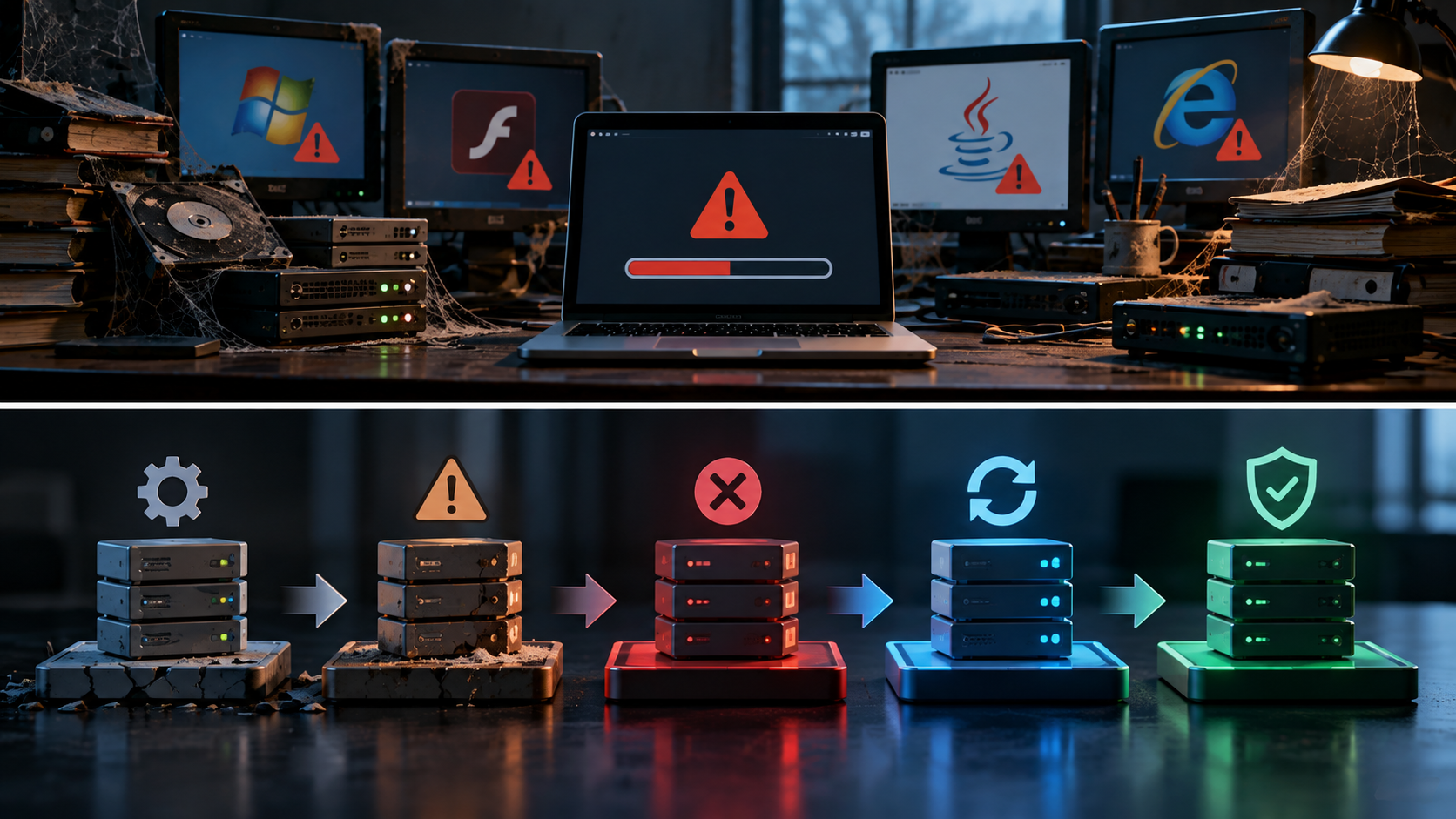
Then decide whether to: Keep it. Monitor it. Update it. Replace it. Or retire it.
The goal is not constant modernization. The goal is avoiding preventable surprises.
"Technology does not become safe simply because it still turns on."
- RACHEL CROW, FOUNDER, EMBERNOVA DIGITAL
Digital Risk & Business Resilience
EmberNova Digital helps businesses identify aging technology, unsupported dependencies, access risks, ownership gaps, and continuity weaknesses before they become emergencies.
Work may include technology lifecycle reviews, infrastructure risk assessments, access and ownership audits, recovery planning, modernization priorities, and resilience improvements.
Digital Risk & Business Resilience →
Not sure what you control? Take the Digital Ownership Score →