

What Should a Small Business Actually Automate First?
Automation & Business Systems
Read time: 8–10 minutes
What Should a Small Business Actually Automate First?
The best first automation is usually not the flashiest one. Start with repetitive, rules-based work that creates delays, duplicate effort, missed follow-up, or unnecessary dependence on the owner.
KEY TAKEAWAYS

- Start with repetitive, high-volume work that follows clear rules.
- Fix the process before automating it.
- Lead handling, follow-up, task handoffs, scheduling, and recurring reporting are strong first candidates.
- Keep human judgment where the work involves exceptions, risk, or nuance.
- Build automations around systems you can understand, document, and control.
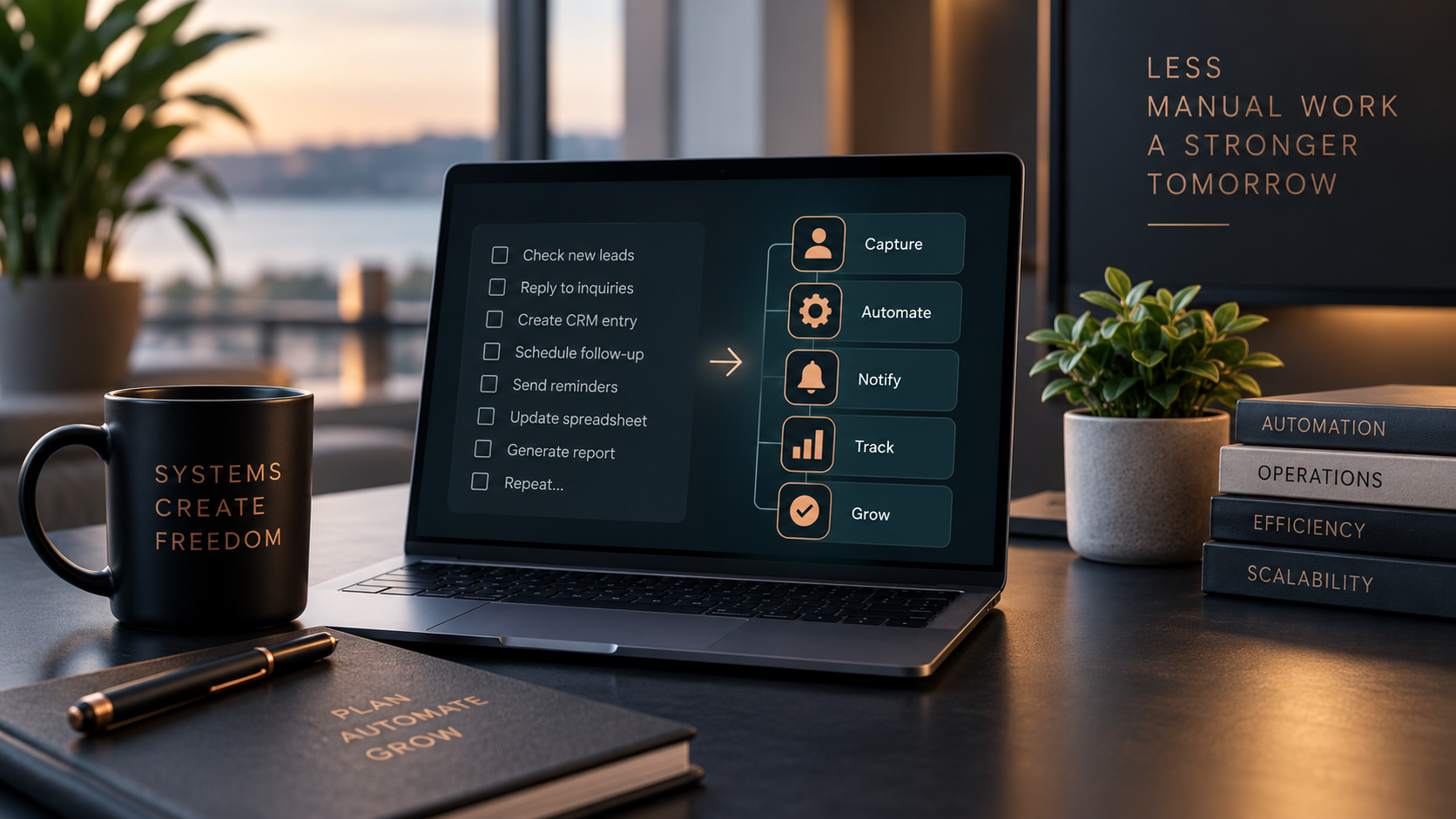
The right first automation is usually obvious once you stop looking at software
The best processes to automate first are repetitive, rules-based tasks that happen frequently and create delays, duplicate work, or missed follow-up. For many small businesses, that means lead routing, follow-up, repetitive data entry, scheduling, task creation, and recurring reporting.
Small businesses often approach automation backward. They start with a tool. A CRM promises automation. An AI platform promises automation. A scheduling tool, project-management platform, or shiny new app shows a workflow demo that looks suspiciously easier than real life. Then the business tries to figure out where the tool fits.
A better starting point is the work itself. Look for the tasks your team repeats every day, the information that gets entered more than once, the follow-up that depends on someone remembering, and the handoffs that regularly create delays. Those are usually much better automation candidates than whatever happens to be trending this month.
Automation should remove friction from an existing business process. It should not create a second process that now has to be managed alongside the first one.
1. Start with the friction, not the technology
Before deciding what to automate, identify where the business repeatedly loses time or control.
Common signs include:
- leads sitting in an inbox waiting for someone to notice them
- the same information being copied between forms, email, spreadsheets, and a CRM
- follow-up happening inconsistently
- team members manually creating the same tasks over and over
- appointments requiring several rounds of email
- reports being rebuilt manually every week or month
- the owner becoming the default person who remembers what happens next
- information getting lost between departments or systems
These problems are not automatically solved by automation. But they are good places to investigate.
The first question is not: What can we automate?
The better question is: Where does predictable work repeatedly create unnecessary effort, delay, or risk?
That is the beginning of a useful automation strategy.
2. The strongest first automations usually share the same characteristics
A good early automation tends to be:
Repetitive
The task happens often enough that removing manual effort actually matters.
Rules-based
The next step can be determined using clear conditions.
Predictable
The workflow does not change dramatically every time it runs.
Low ambiguity
The system does not need a person to interpret a complicated situation before acting.
Connected to a real business outcome
It reduces response time, prevents missed work, improves consistency, or gives the team better information.
The more of these characteristics a process has, the better the automation candidate usually becomes.
3. Five areas that are often worth automating first
Lead intake and routing
A new lead should not depend on someone checking the right inbox at the right moment. A basic lead workflow can:
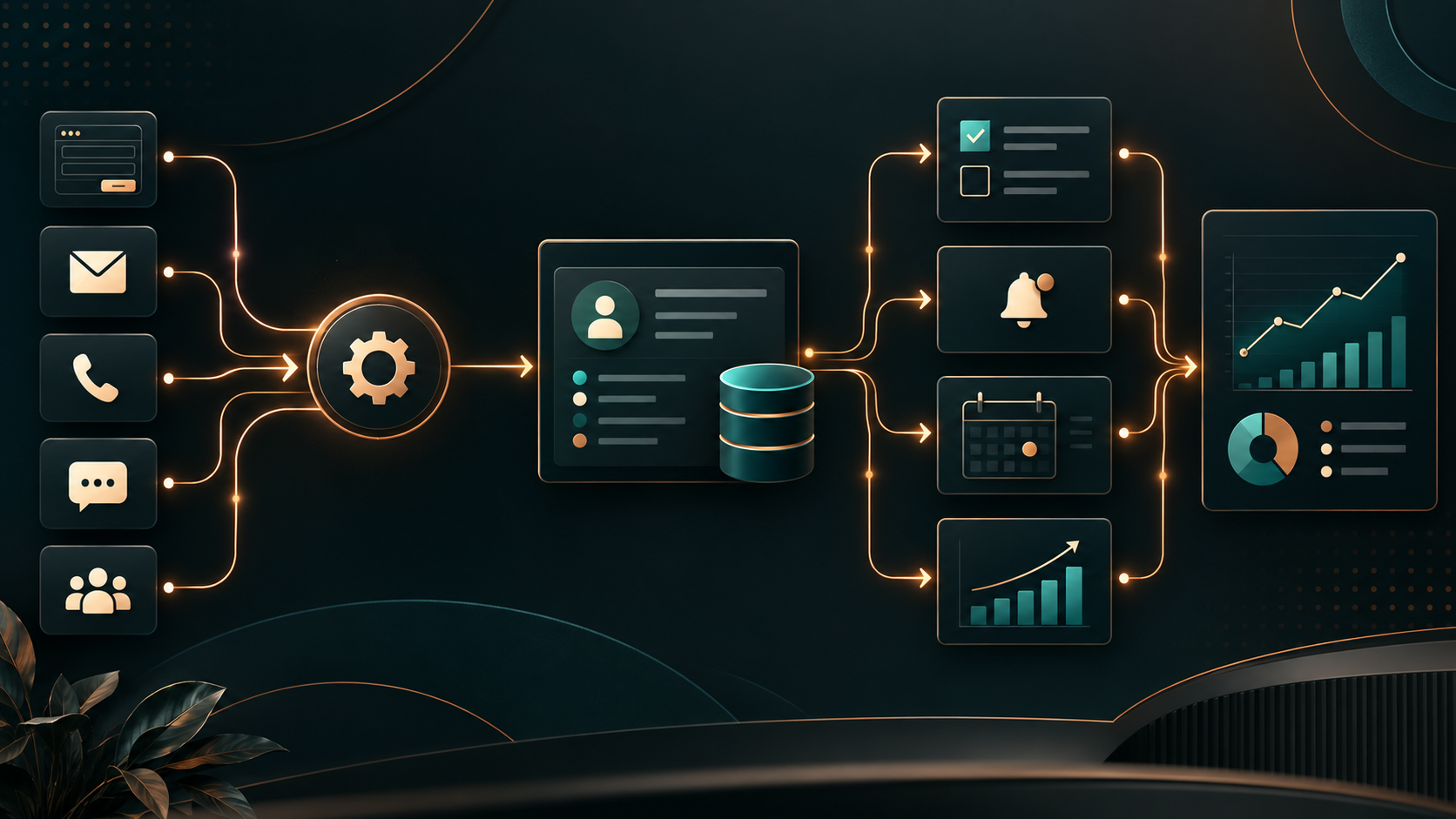
- capture the inquiry
- create or update the CRM record
- assign the correct owner
- create a follow-up task
- notify the appropriate person
- preserve the original lead source
This does not require artificial intelligence. It requires a clear rule for what should happen when a lead arrives. That distinction matters.
Follow-up
Follow-up is one of the easiest places for a growing business to lose opportunities.
People get busy. An estimate goes out. A prospect says they will call back. A referral gets mentioned in an email. Then everyone moves on.
Automation can create reminders, trigger appropriate follow-up messages, or place the opportunity into a defined sequence so the next step does not depend entirely on memory.
The goal is not to make communication robotic. The goal is to prevent good opportunities from disappearing because the business got busy.
Repetitive data entry
If someone is entering the same information into multiple systems, investigate whether those systems can exchange data directly.
For example: Website form → CRM → project task → notification
is usually better than: Website form → email → person reads email → person copies data into CRM → person creates task → person sends internal message.
Each manual handoff creates another opportunity for delay or error. Automation is particularly valuable when it eliminates duplicate entry rather than simply making the duplicate entry happen faster.
Scheduling and routine notifications
Scheduling is another common source of administrative drag. Depending on the business, automation can help with:
- consultation scheduling
- appointment confirmations
- internal reminders
- project milestones
- recurring service reminders
- intake instructions
- document requests
These are good candidates because the rules are usually clear. If an appointment is booked, certain things need to happen. The system can handle those predictable steps while the team handles the work that actually requires judgment.
Recurring reports and KPI snapshots
Businesses often collect useful information but rarely look at it because turning the information into something readable takes too much time. A weekly or monthly automation can pull together information such as:
- new leads
- pipeline activity
- completed projects
- outstanding tasks
- response time
- website inquiries
- campaign activity
- operational bottlenecks
A simple recurring snapshot can be more useful than an elaborate dashboard no one opens.
The point is visibility. If the owner has to spend two hours assembling basic operating information every Friday, there is probably an opportunity to improve the system.
4. A simple way to decide whether a process should be automated
Score the process against six questions.
Does it happen frequently?
A task performed once a year probably does not need automation. A task performed 40 times a week might.
Does it follow a consistent sequence?
The clearer the steps, the easier the workflow is to automate reliably.
Can the decision rules be written down?
If you cannot explain what should happen next, the automation will not know either.
What happens when the task is missed?
Automation becomes more valuable when failure creates meaningful consequences such as lost leads, delayed work, missed deadlines, or poor customer experience.
How many exceptions occur?
A process with constant exceptions may still benefit from automation, but the system needs a defined path for those exceptions.
Does the process depend too heavily on one person?
If only one person knows when something needs to happen, automation may help reduce that dependency.
That last question is especially important for owner-led businesses. A system that lives entirely in the owner's memory is not much of a system.
5. Do not automate a broken process
Automation makes a process repeatable. That is useful when the process is good. It is less useful when the process is bad.
If the team is already confused about responsibilities, approvals, data, or timing, adding automation can make the confusion happen faster. Before automating, clarify:
- where the process starts
- who owns each decision
- what information is required
- what should happen next
- where the information should live
- what happens when something goes wrong
Sometimes the most important automation work happens before a single workflow is built. It is process design.
6. Some work should stay human
Not every repetitive task belongs inside an automated workflow. Be careful with work involving:
- unusual customer circumstances
- financial or legal judgment
- sensitive data
- complicated approvals
- high-risk decisions
- emotionally sensitive communication
- unclear or incomplete information
- situations with frequent exceptions
Automation can support these processes without replacing the person responsible for the decision. For example, a system can gather information, create a task, organize supporting documents, and notify the right person.
The final decision can still remain human. That is often a much better design than trying to remove people entirely.
7. Automation and AI are not the same thing
This distinction gets blurred constantly. Traditional automation works well when the rules are known.
When X happens, do Y. Examples:
- form submitted → create CRM record
- appointment booked → send confirmation
- lead enters pipeline stage → create follow-up task
- Friday afternoon → generate KPI summary
AI becomes useful when the task involves interpretation, generation, classification, summarization, or other work where fixed rules alone are not enough. Sometimes a workflow uses both.
A lead form might enter a traditional automation, while AI helps categorize the inquiry before the CRM routes it. The important point is that AI should not be added simply because it is available.
If a basic rule solves the problem reliably, use the basic rule. Simple systems are usually easier to understand, maintain, troubleshoot, and transfer.

8. A practical starter automation stack
For many small and growing businesses, four workflows provide a useful starting point.
Lead routing
New inquiries enter one controlled process instead of disappearing into disconnected inboxes.
Follow-up
Tasks or messages are triggered based on lead status, timing, or defined next steps.
CRM and task creation
Customer information moves into the appropriate systems without repeated manual entry.
Weekly KPI snapshot
Owners and managers receive a concise operating summary without rebuilding reports manually.
None of these are particularly glamorous. That is part of why they work. They solve ordinary operational problems that happen repeatedly.
9. Build automation that the business can actually own
A workflow is not finished simply because it runs. Someone should know:
- what triggers it
- what systems it touches
- who owns those systems
- which accounts and permissions it uses
- what happens if it fails
- where errors are logged
- how to pause it
- how to update it
- what the manual fallback is
Documentation matters. So does access. An automation that only an outside vendor understands can create a different kind of dependency.
The goal is to reduce operational fragility, not move it somewhere harder to see.
10. Start small enough to learn something
The first automation does not need to redesign the entire company. In fact, it probably should not. Choose one workflow with:
- a clear beginning
- a clear end
- measurable friction
- predictable rules
- manageable consequences
Build it. Run it. Watch where it fails. Adjust it. Then use what you learned before automating the next process.
A business can build a surprisingly capable operating system this way without trying to automate everything at once.
What this means for your business
The best first automation is usually sitting inside work your team already complains about:
- It is the task everyone repeats.
- The handoff everyone forgets.
- The spreadsheet someone rebuilds.
- The lead someone has to chase.
- The reminder living in the owner's head.
Start there. Not because automation should remove people from the business, but because people should spend less time doing predictable work a system can handle reliably.
"The best first automation is rarely the most impressive one. It is the one that removes a recurring point of friction without creating a new one."
- RACHEL CROW, FOUNDER, EMBERNOVA DIGITAL
Automation & Business Systems
EmberNova Digital helps businesses identify where automation will create meaningful operational value, then designs workflows that connect the systems, people, and decisions already involved.
Typical work can include CRM routing, lead follow-up, task workflows, system integrations, recurring reporting, SOP-driven automation, and process redesign.