

EMERGENCY DIGITAL RECOVERY
When critical digital systems fail, restore control first.
EmberNova Digital helps businesses respond to urgent website, hosting, domain, email, access, malware, and digital infrastructure failures.
The first priority is to understand what happened, stabilize the environment, protect what still works, and create a clear path to recovery.
Urgent requests are triaged before implementation begins. Do not send passwords, recovery codes, API keys, or other sensitive credentials through the initial request form.
Recovery outcomes and timelines cannot be guaranteed. Some incidents may require third-party support or referral after initial triage.
2026 Best of Florida® Winner · Business Consulting Firms
Florida-based · Serving businesses nationwide · Licensed & Insured · Confidential by design
WHEN DIGITAL FAILURE BECOMES A BUSINESS PROBLEM
The first goal is not optimization. It is stabilization.
When a website is compromised, email stops working, hosting is suspended, access is lost, or a critical digital system becomes unavailable, the business needs a clear response before it needs a redesign.
EmberNova Digital helps determine what is affected, what still works, what access remains, and what needs to be protected first. From there, the focus is on restoring control, reducing further damage, and getting the business back to a stable operating state.
This may qualify as an emergency when:
- A website is compromised, defaced, redirected, or serving malicious content
- Hosting or a critical account has been suspended or locked
- Administrator access to a website, domain, email, or cloud system has been lost
- Business email is unavailable or authentication has failed
- Malware, injected code, rogue plugins, or unauthorized users are discovered
- A migration, update, or configuration change has taken a critical system offline
- DNS, domain, SSL, or routing failures are disrupting access
- A vendor or former administrator controls systems the business urgently needs
- The business cannot confidently determine what happened or what is safe to change next
In an emergency, restore visibility and control before making bigger changes.
URGENT DIGITAL FAILURES
When a critical system stops working, the problem usually reaches farther than one screen.
Emergency recovery can involve a single compromised website or a larger chain of failures across access, hosting, domains, email, cloud systems, and connected infrastructure.
The first step is identifying what is actually affected so recovery efforts do not make the situation worse.
Website Compromise & Malware
Investigate hacked, redirected, defaced, infected, or otherwise compromised websites, including injected code, rogue plugins, unauthorized users, and suspicious changes.
Lost Administrative Access
Recover or re-establish control of websites, hosting, domains, email, cloud systems, and other critical accounts when access is lost, transferred incorrectly, or controlled by the wrong party.
Hosting, Domain & DNS Failures
Address suspended hosting, DNS issues, SSL problems, domain routing failures, registrar access problems, and other infrastructure conditions that can take websites or services offline.
Business Email Disruption
Investigate email outages, authentication failures, configuration issues, delivery problems, and account-access conditions that interfere with business communication.
Failed Updates, Migrations & Configuration Changes
Stabilize systems that break after platform migrations, software updates, DNS changes, server moves, plugin changes, or other technical modifications.
Cloud & Connected System Access
Assist with urgent access or configuration issues affecting Microsoft 365, Google Workspace, cloud storage, connected applications, or other business-critical digital systems.
The visible failure may only be the first symptom. Recovery starts by understanding the environment around it.
Still making changes while the issue is unresolved?
Stop unnecessary changes, preserve what you can, and submit the incident for triage before the recovery path becomes harder to trace.
A STRUCTURED RECOVERY RESPONSE
Move from uncertainty to a controlled recovery plan.
Digital emergencies are easier to make worse when too many changes happen before the problem is understood.
EmberNova Digital uses a structured triage process to establish what happened, determine what access and systems are still available, and identify the safest next action before deeper recovery work begins.

Recovery is not always possible.
The available path depends on factors such as access, backups, hosting conditions, account ownership, system integrity, vendor cooperation, and the extent of compromise or data loss. Recovery timelines cannot be guaranteed.
1. Submit the Incident
Provide the affected system, what you are seeing, when the problem started, and what access you still have.
Do not include passwords, recovery codes, API keys, financial information, or other sensitive credentials in the initial request.
2. Triage the Situation
We review the reported symptoms, urgency, business impact, affected systems, available access, and whether the incident appears to fall within EmberNova Digital’s recovery scope.
3. Establish Secure Contact
If the incident moves forward, sensitive information and access details are handled through an appropriate secure method rather than through the public intake form.
4. Stabilize What Still Works
The immediate priority may include preserving access, limiting further changes, isolating compromised components, protecting available data, or preventing the disruption from spreading.
5. Recover & Restore Control
Recovery work may involve removing malicious changes, restoring access, correcting configuration, rebuilding affected components, recovering from backups, or coordinating with third-party providers.
6. Validate & Harden
Once the environment is stable, confirm that critical systems are functioning, review remaining risk, document what changed, and identify the steps needed to reduce the likelihood of recurrence.
The first objective is not to rebuild everything. It is to understand the failure, regain control, and recover in the safest practical order.
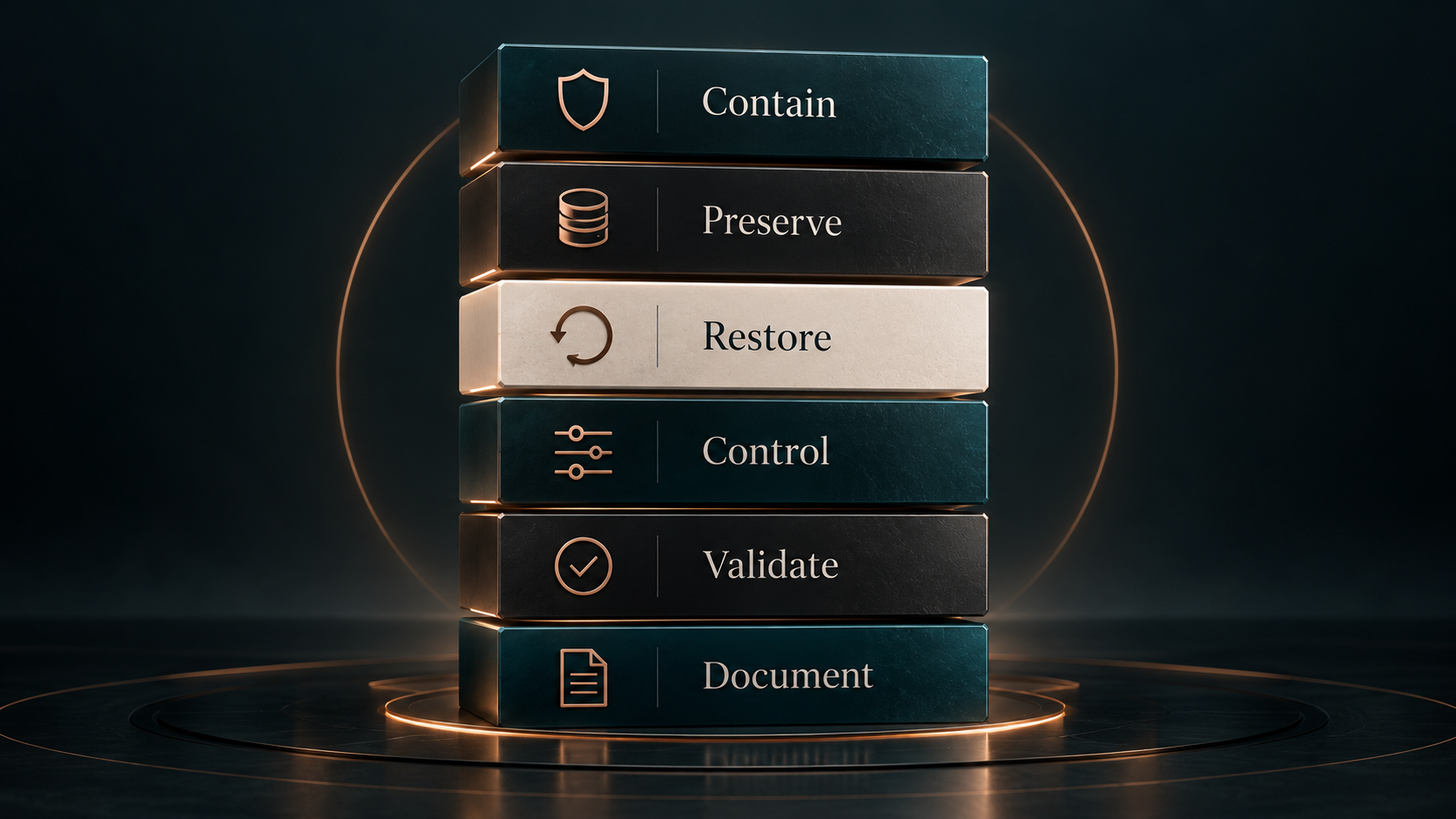
The objective is not just to get the system back online. It is to restore the business to a controlled, understandable state.
FIRST THINGS FIRST
Recovery works best when the response follows the right order.
In a digital emergency, the fastest action is not always the safest action.
The priority is to protect what still works, preserve useful evidence, regain control of critical systems, and restore essential operations without creating additional damage along the way.
1. Contain the Problem
Limit further disruption where possible by isolating compromised components, suspending risky access, pausing unsafe changes, or preventing a problem from spreading.
2. Preserve Access & Evidence
Protect remaining administrator access, logs, backups, configuration details, account records, screenshots, and other information that may be needed to understand or recover the environment.
3. Restore Critical Operations
Prioritize the systems the business needs most, such as website availability, email, account access, customer communication, or other essential services.
4. Re-Establish Ownership & Control
Confirm who controls domains, hosting, email, cloud systems, administrator accounts, vendors, and recovery methods so the business is not left dependent on unclear access.
5. Validate the Recovery
Confirm that restored systems are functioning as expected, critical access is secure, backups are available, and the environment is stable enough to move forward.
6. Document What Changed
Record the failure, recovery actions, remaining risks, access changes, vendor involvement, and follow-up work so the business has a clearer record if the issue returns.
AFTER THE RECOVERY
The best emergency is the one you do not have twice.
Once critical systems are stable, the next step is reducing the conditions that created the failure in the first place.
Emergency recovery can lead into a broader resilience plan focused on ownership, backups, access, monitoring, software health, documentation, and business continuity so the business is better prepared the next time something changes.
What that includes
Backup & Restore Verification - Confirm that critical systems are being backed up, backups are accessible, and restoration can actually be performed when needed.
Access & Ownership Review - Clean up administrator access, vendor accounts, former users, recovery methods, domains, hosting, and critical account ownership so control is clear.
Security & Software Maintenance - Review updates, plugins, email protections, security software, hosting conditions, and other systems that can quietly become weak points over time.
Monitoring & Alerts - Establish practical monitoring for websites, security platforms, backups, account health, uptime, and other critical systems so problems are more likely to be noticed early.
Documentation & Recovery Readiness - Document infrastructure, vendors, administrative ownership, recovery paths, key dependencies, and escalation contacts so the business is not trying to reconstruct the environment during the next incident.
Business Continuity Planning - Identify which systems are most critical, how long the business can operate without them, who is responsible during disruption, and what needs to happen to keep essential operations moving.
Want to strengthen the environment before something breaks?
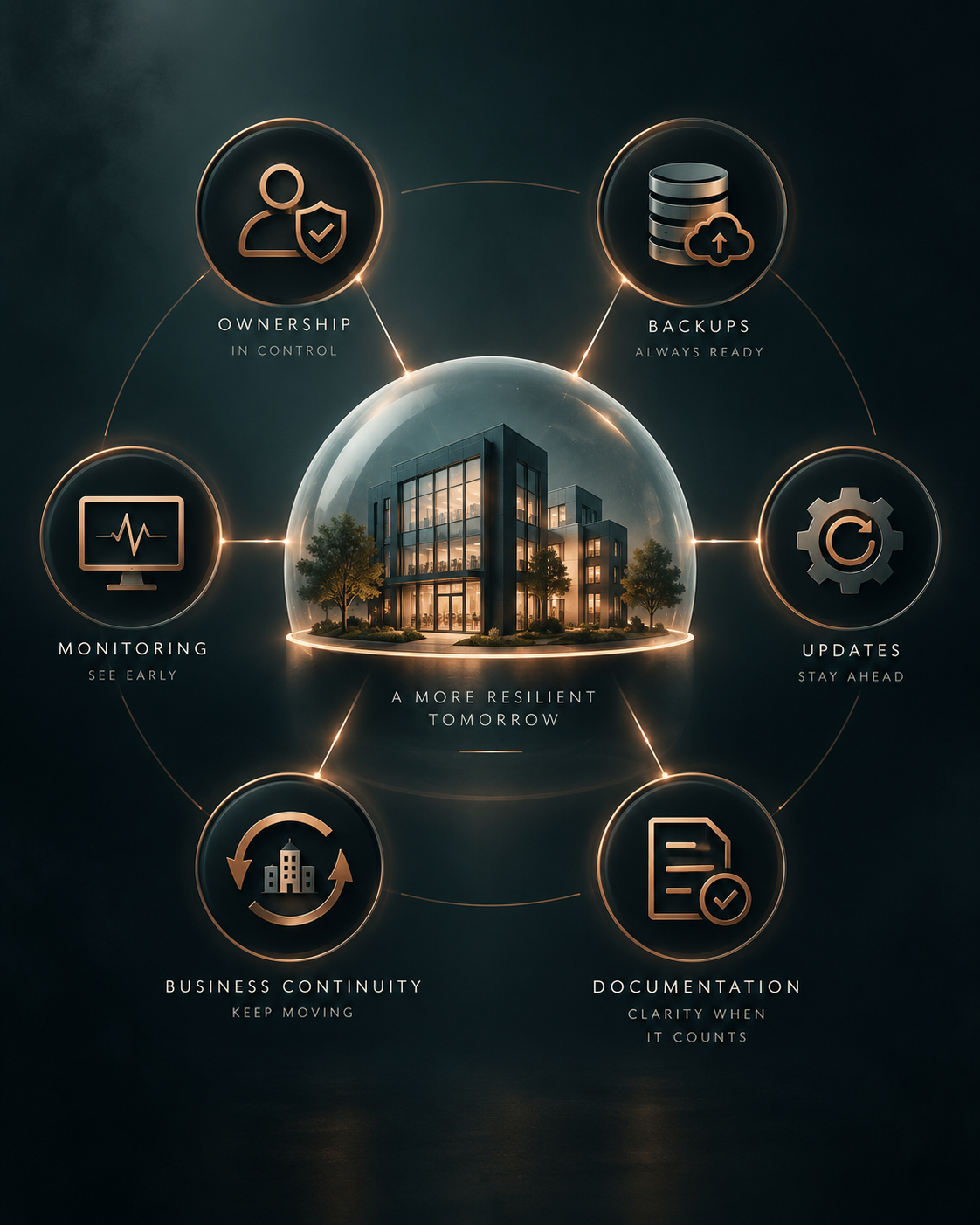
Recovery gets the business moving again. Resilience reduces the chance that the same failure becomes another emergency.
RECOVERY EXPERIENCE
When systems fail, recovery is about regaining control, restoring function, and reducing repeat risk.
Emergency recovery work varies by incident, but the pattern is consistent: understand the failure, recover access where possible, stabilize the environment, restore essential systems, and address the conditions that made the failure harder to manage.
WordPress Malware & Fake reCAPTCHA Compromise
Investigated and remediated a compromised WordPress environment involving injected code, malicious persistence, rogue plugins, and unauthorized access. Recovery included cleanup, access review, rescanning, and follow-up hardening.
Malware Remediation · Incident Response · Access Review · WordPress Security
Email Authentication & Infrastructure Recovery
Resolved a business email issue involving unclear administrative control, DNS and authentication configuration, and deliverability problems. Work included reviewing ownership, SPF/DKIM/DMARC, forwarding, and related email infrastructure.
Email Security · DNS · Authentication · Ownership
Business Continuity & Digital Infrastructure Recovery
Recovered and stabilized fragile digital environments where hosting, domains, access, backups, vendors, or critical accounts created operational risk. Work has included restoring access, clarifying ownership, rebuilding infrastructure, and strengthening recovery readiness.
Business Continuity · Digital Recovery · Ownership · Resilience
Recovery is not just getting systems back online. It is restoring the business to a state that can be understood, controlled, and supported.

Featured in Best of Florida
The Business That Runs Itself
A closer look at why stronger systems, clearer ownership, and reduced founder dependency matter as businesses grow, transition, and prepare for what comes next.
Need help with an active incident?
Submit the issue for review so we can determine whether it falls within our recovery scope and identify the safest next step.



COMMON QUESTIONS
Emergency recovery starts with understanding what failed, what still works, and what can realistically be restored.
Every incident is different. Recovery depends on the affected systems, available access, backups, account ownership, vendor cooperation, and the extent of the failure or compromise. These questions cover the most common concerns businesses have when something critical goes wrong.
What qualifies as an emergency digital recovery issue?
Examples can include compromised websites, malware, lost administrator access, suspended hosting, domain or DNS failures, business email disruption, failed migrations, broken updates, cloud access problems, or other digital failures that materially interrupt the business.
How quickly can you recover a system?
Recovery timelines cannot be guaranteed. Some incidents can be stabilized quickly, while others depend on hosting providers, vendors, backups, account access, DNS propagation, security conditions, or the extent of damage. The first step is triage so the situation can be assessed before a recovery path is estimated.
Is recovery always possible?
No. Recovery may be limited or impossible if backups do not exist, critical accounts cannot be recovered, data has been permanently lost, systems are severely compromised, or third-party providers cannot restore access. EmberNova Digital will identify those constraints as early as possible.
What should I do before submitting an emergency request?
Avoid unnecessary changes, preserve any remaining access, save relevant screenshots or error messages, and document what happened and when. Do not send passwords, recovery codes, API keys, financial information, or other sensitive credentials through the intake form.
Will you work with our hosting provider, IT company, or other vendors?
When appropriate, yes. Recovery often requires coordination with hosting providers, domain registrars, email platforms, cloud vendors, security providers, or other technical partners.
What happens if the incident is outside your scope?
If the issue requires capabilities, response speed, forensic depth, legal involvement, or specialist support beyond EmberNova Digital’s scope, we will identify that as early as possible and recommend escalation or referral when available.
Can you help prevent the same problem from happening again?
Yes. After stabilization, follow-up work can include access and ownership review, backup verification, monitoring, security and software maintenance, documentation, and business continuity planning.
Do you provide ongoing monitoring or resilience support after recovery?
Yes. Depending on the environment, ongoing support can include website and account monitoring, backup review, access checks, security platform review, maintenance, documentation, and periodic resilience reviews.
NEED HELP WITH AN ACTIVE DIGITAL INCIDENT?
Start with triage.
Submit the emergency recovery request with the affected system, what happened, and what is currently unavailable or compromised. EmberNova Digital will review the situation, determine whether it falls within our recovery scope, and identify the safest next step.
Important Notice
Emergency recovery is evaluated case by case. EmberNova Digital cannot guarantee recovery, data restoration, system availability, or a specific recovery timeframe. Some incidents may require third-party vendors, security specialists, legal counsel, or other outside support. If the issue exceeds our scope, available response window, or technical capability, we will recommend escalation or referral when appropriate.
Do not submit passwords, recovery codes, API keys, financial information, or other sensitive credentials through the public intake form.