SYSTEMS & ENGINEERING
Make the routine work happen without someone having to remember it.
EmberNova Digital designs business automation and connected workflows that reduce repetitive work, improve follow-through, and help information move reliably between the people and systems that need it.
2026 Best of Florida® Winner · Business Consulting Firms
Florida-based · Serving businesses nationwide · Licensed & Insured · Confidential by design
Automation & Business Systems is part of EmberNova Digital’s Systems & Engineering practice.
WHEN MANUAL WORK BECOMES THE SYSTEM
Your team should not have to hold the business together with memory, copy-and-paste, and follow-up.
Manual work is not automatically bad. The problem starts when routine tasks depend on someone remembering every step, entering the same information in multiple places, checking whether something happened, or fixing gaps between systems.
That creates invisible operational drag. Leads get missed. Data gets duplicated. Reporting takes too long. Employees build personal workarounds. Owners become another checkpoint in processes that should already know what happens next.
Automation works best when it removes that friction without removing the judgment that still belongs to people.
This is a strong fit when:
- Leads or requests are being manually routed, entered, or followed up
- The same information is copied between multiple systems
- Important tasks depend on someone remembering to create the next task
- Reporting requires collecting information from several places
- Employees spend significant time on repetitive administrative work
- Different tools are creating disconnected workflows instead of one operating process
The goal is not to automate everything.
It is to stop spending human attention on work the system can handle reliably.
CONNECTED OPERATIONS
Build the workflow around the business, not the other way around.
Good automation starts by understanding what should happen, who needs to be involved, where information comes from, and where human judgment still matters. Then we connect the right systems and automate the repeatable work around that process.
That may mean fixing one recurring problem, such as a missed lead, duplicate entry, an inconsistent handoff, or a report that takes hours every week. Or it may mean connecting CRM, email, forms, scheduling, tasks, documents, notifications, and reporting into a broader operating workflow.
Automation should simplify the operating model, not hide a bad process behind more technology.
WHAT WE HELP WITH
Where automation usually creates the most value
The right automation depends on the business, but most opportunities fall into a few recurring areas where information, tasks, or follow-up need to move more reliably.
Lead Capture & Routing
Automatically move inquiries from forms, calls, email, or other sources to the right person, CRM record, task, or follow-up process.
Follow-Up & Notifications
Create dependable reminders, confirmations, status notifications, and follow-up sequences so important communication does not rely on memory.
CRM & Data Workflows
Keep customer, project, and operational information moving between systems while reducing duplicate entry and disconnected records.
Task & Process Automation
Trigger tasks, approvals, handoffs, documents, or next steps automatically when defined business events occur.
Reporting & Operational Visibility
Collect recurring data, generate dashboards or reports, and surface the information leadership needs without rebuilding the same report manually.
Systems Integration
Connect the tools the business already uses so information can move across forms, email, scheduling, CRM, spreadsheets, project systems, and other platforms.
Still doing work that feels like the software should already be handling?
We can map the process, identify what should stay human, and determine where automation can remove unnecessary work without creating a more complicated system.
FROM WORKFLOW TO WORKING SYSTEM
Understand the process before automating it.
The fastest way to build a bad automation is to automate a broken workflow.
EmberNova Digital starts by understanding how the work actually moves today, where it slows down, what requires judgment, and which steps are good candidates for automation. From there, we design the workflow, connect the systems, test the logic, and make sure the result is practical for the people using it.
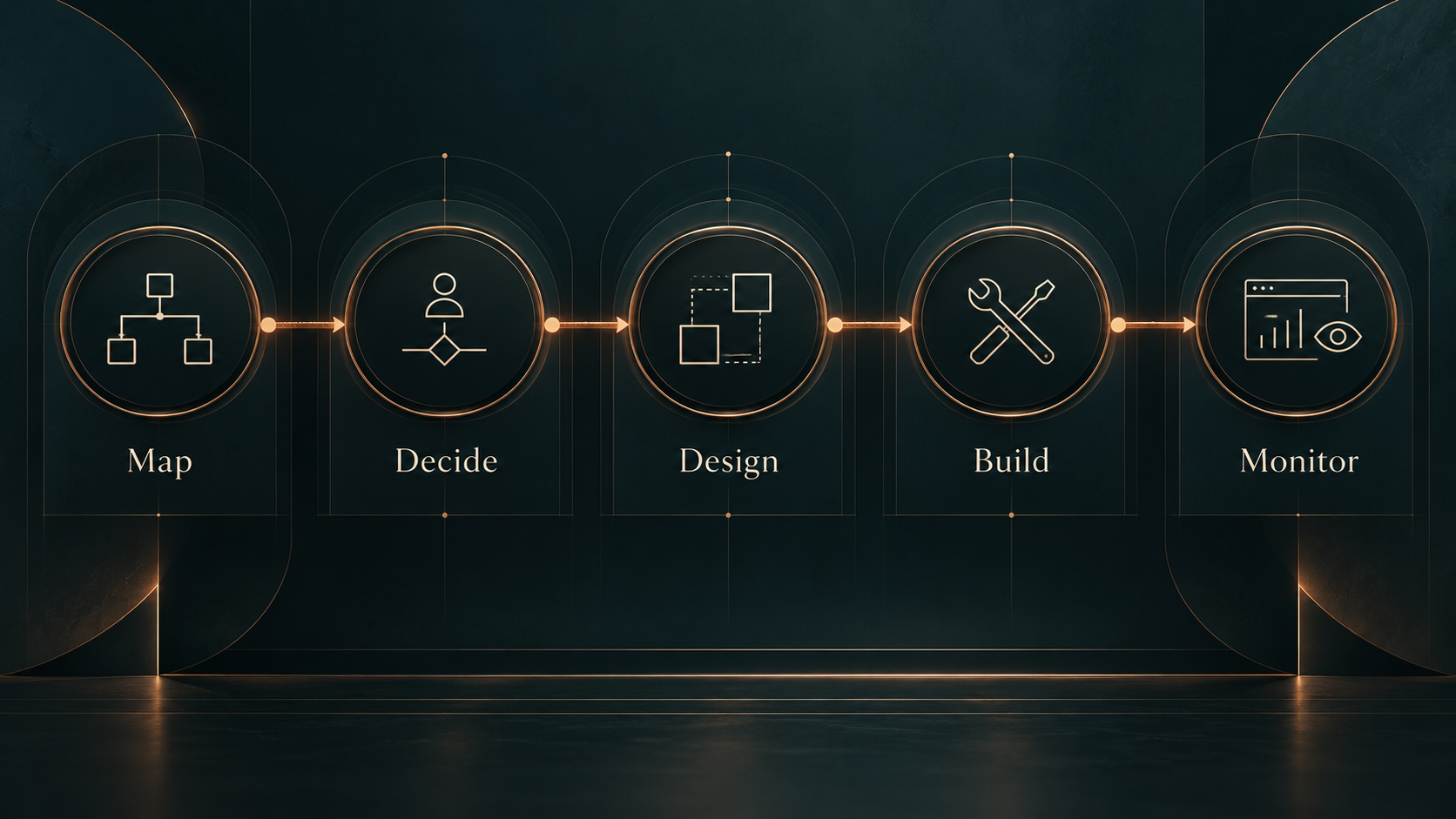
1. Map the Current Workflow
Document how information, tasks, decisions, and handoffs move through the business now.
This often reveals duplicate work, unnecessary approvals, disconnected systems, and steps that only exist because the current tools do not work together.
2. Separate Human Judgment From Repeatable Work
Identify which decisions still need a person and which steps can happen automatically.
This is where we prevent over-automation and protect the parts of the process that depend on context, judgment, or relationship.
3. Design the Connected Workflow
Define the triggers, actions, destinations, ownership, exceptions, and fallback points before building.
That may involve CRM, forms, email, scheduling, spreadsheets, project systems, reporting tools, communications platforms, or custom integrations.
4. Build, Test & Validate
Configure the workflow, test real-world scenarios, verify data movement, and account for failures or unexpected inputs.
The goal is not simply for the automation to run. It needs to run reliably.
5. Launch With Visibility
Deploy the workflow with clear documentation, ownership, monitoring, and a practical way to understand what happens when something does not behave as expected.
A good automation should reduce the number of things people have to remember without making the business harder to understand.
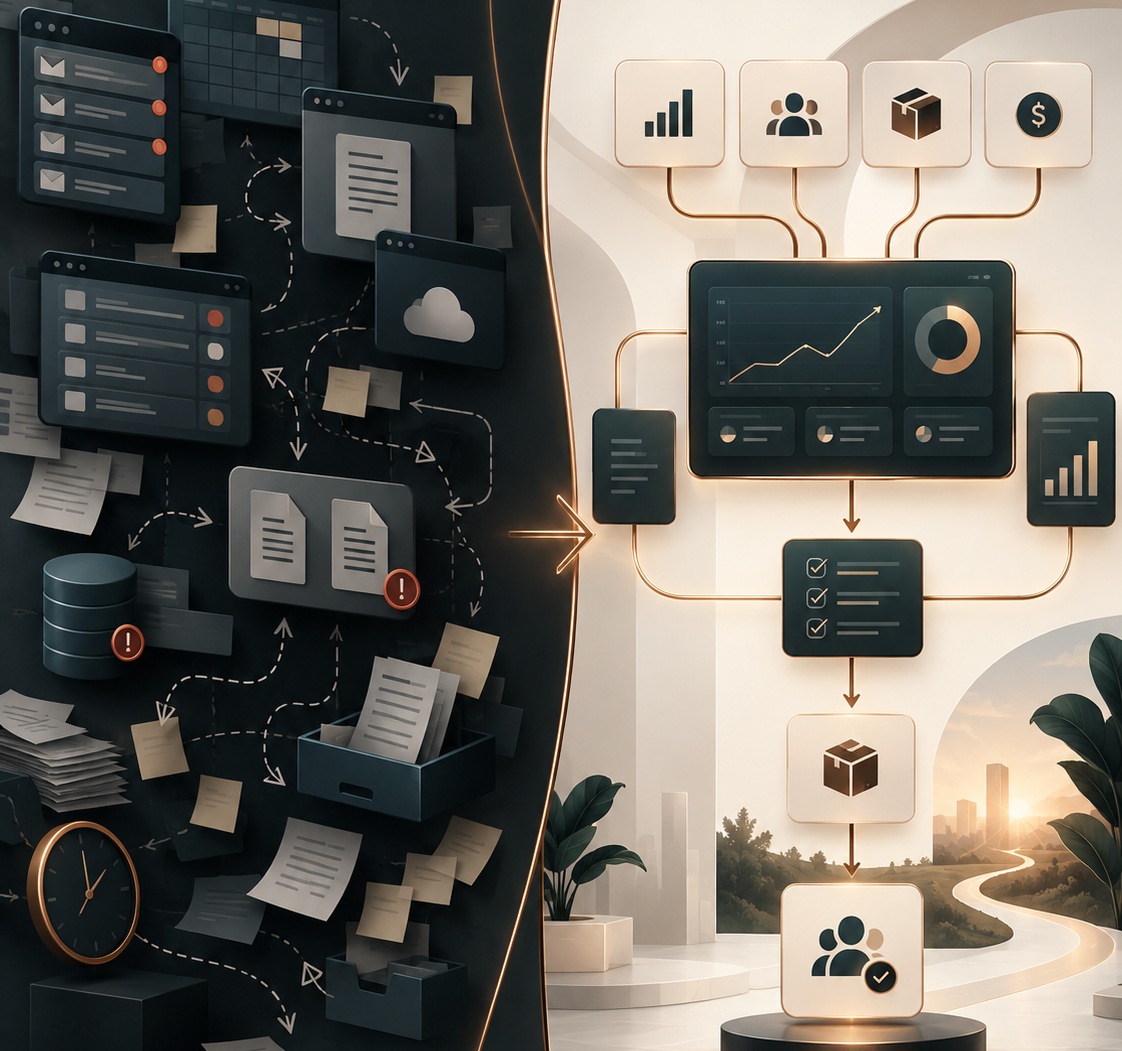
The best automation does not make the business feel more automated. It makes the business feel easier to run.
BETTER FLOW ACROSS THE BUSINESS
The biggest gains happen between the steps.
Automation becomes valuable when information moves more reliably, handoffs become clearer, follow-up happens consistently, and employees spend less time compensating for disconnected systems.
What this can improve
- Faster response times - Route leads, requests, approvals, and tasks sooner.
- Fewer manual handoffs - Reduce copying, reminders, and manual next-step triggers.
- Cleaner data - Keep records more consistent across connected systems.
- More consistent follow-through - Build recurring communication and next steps into the workflow.
- Better visibility - Surface status, exceptions, reports, and alerts when they matter.
- More usable capacity - Return skilled time to customer service, judgment, and higher-value work.
AUTOMATION YOU CAN TRUST
A workflow is only useful if the business can depend on it.
Automation should not become another black box no one understands.
EmberNova Digital builds workflows with ownership, visibility, exception handling, documentation, and continuity in mind so the business knows what is happening, what requires attention, and what happens when something fails or changes.
What this can include
- Clear ownership - Define who is responsible for the workflow, the data it moves, and the decisions that still require human oversight.
- Exception handling - Plan for missing information, failed steps, duplicate records, unexpected inputs, and other real-world conditions.
- Monitoring & alerts - Surface failures, delays, or unusual activity before they quietly create a larger operational problem.
- Documentation - Document the workflow, logic, integrations, dependencies, and important administrative details so the system is maintainable.
- Change management - Adjust workflows as processes, software, teams, or business requirements evolve.
- Access & continuity - Keep credentials, permissions, integrations, and administrative control organized so the business is not dependent on one person or one undocumented account.
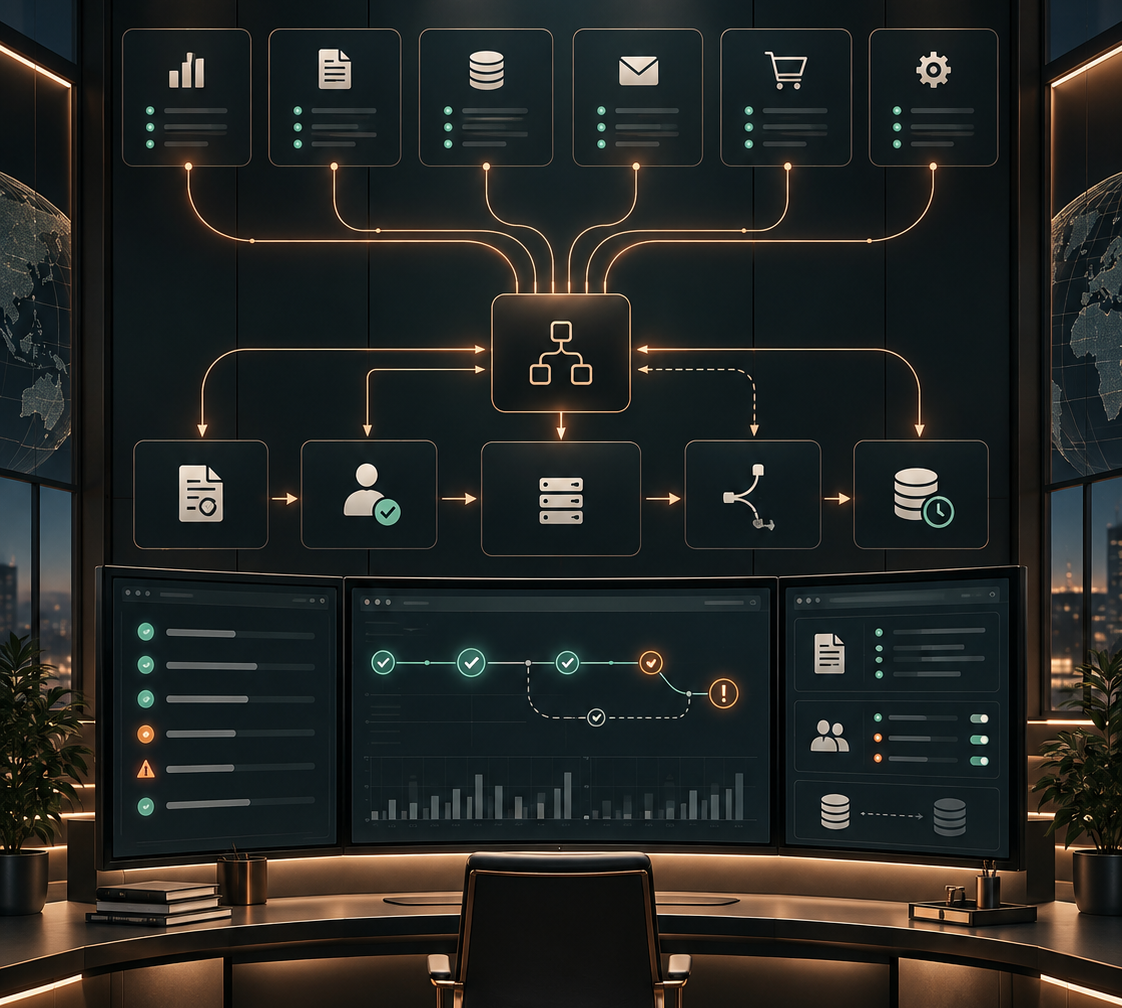
Good automation removes dependency on memory without creating dependency on mystery.
Not sure whether the problem is staffing, systems, or operating structure?
A Systems & Capacity Review identifies bottlenecks, owner dependency, workflow friction, and capacity constraints before you commit to a larger change.
REAL WORK. CONNECTED SYSTEMS.
Automation should solve an operating problem, not just prove that two apps can talk to each other.
The strongest automation work usually starts with a practical business constraint: leads are getting missed, information is being re-entered, reporting takes too long, or follow-up depends on someone remembering the next step.
The solution is built around that problem first, then the technology.
Lead Routing & CRM Automation
Designed workflows that capture incoming leads, move contact information into the appropriate CRM or tracking system, create follow-up tasks, and route the next action to the right person.
Typical components:
Lead Capture · CRM · Task Creation · Notifications · Follow-Up
Recurring KPI & Operational Reporting
Built automated reporting workflows that collect recurring business data and turn it into usable leadership visibility without requiring the same report to be assembled manually each week.
Typical components:
Data Collection · KPI Reporting · Scheduled Workflows · Leadership Visibility
Connected Client & Business Workflows
Developed multi-step automations connecting forms, email, CRM records, spreadsheets, tasks, and other operational systems so information can move through the business with fewer manual handoffs.
Typical components:
Systems Integration · Workflow Logic · Data Movement · Process Automation
The technology changes. The standard does not: the workflow has to make the business easier to operate.
PRICING & STARTING POINTS
Start with the problem you need to remove.
Some businesses already know the workflow they want automated. Others know work is taking too long or depending on too many manual steps but need help identifying the right intervention first.
Automation & Systems Integration
Projects typically start at $5,000.
Best for a defined workflow, integration, routing problem, reporting process, or connected system that is ready to be designed and implemented.
Typically includes: workflow mapping, system design, implementation, testing, and handoff.
Systems & Capacity Review
Starts at $1,250.
Best when the friction is clear but the underlying cause is not. We review the workflows, responsibilities, systems, and capacity constraints before recommending what should be changed, automated, or left alone.
Typically includes: workflow and capacity review, bottleneck identification, prioritized recommendations, and next-step roadmap.
Custom Software
Projects typically start at $12,500.
If the business has outgrown what automation and existing platforms can reasonably solve, a custom application or internal tool may be the better path.
Typically includes: product definition, architecture, build, testing, deployment, and documentation.

Featured in Best of Florida
The Business That Runs Itself
A closer look at why stronger systems, clearer ownership, and reduced founder dependency matter as businesses grow, transition, and prepare for what comes next.



COMMON QUESTIONS
Automation should make the business easier to understand, not harder.
What kinds of business processes can be automated?
Common opportunities include lead capture, CRM updates, follow-up, task creation, notifications, reporting, document handling, scheduling, approvals, data movement, and recurring administrative work. The best candidates are repetitive, rules-based steps that happen often enough to create operational drag.
Do I need to replace the software we already use?
Usually not. EmberNova Digital starts by looking at the tools already in place and how they are being used. In many cases, better workflows and integrations can improve the existing stack without forcing the business into an unnecessary platform change.
Can you connect different systems that do not currently talk to each other?
Often, yes. Depending on the platforms involved, systems may be connected through native integrations, APIs, workflow automation platforms, webhooks, or custom logic. The right approach depends on reliability, security, maintainability, and the complexity of the process.
Do you provide ongoing support after an automation is launched?
Yes. Some businesses only need a focused build and handoff, while others benefit from ongoing monitoring, maintenance, optimization, and changes as their systems or processes evolve.
How much does business automation cost?
Automation & Systems Integration projects typically start at $5,000. Final scope depends on the number of systems involved, workflow complexity, integration requirements, data quality, testing, and exception handling. If the underlying problem needs to be mapped before implementation, a Systems & Capacity Review starts at $1,250.
How do you decide what should and should not be automated?
We look at frequency, consistency, risk, business value, data quality, and where human judgment is still necessary. A task being technically automatable does not automatically mean it should be automated.
What happens if an automation fails?
Well-designed workflows include monitoring, exception handling, alerts, documentation, and clear ownership. The goal is to make failures visible and recoverable rather than allowing them to happen silently.
Can automation work with AI?
Yes, when AI adds useful capability such as classification, summarization, drafting, extraction, or interpretation. AI should be added where it improves the workflow, with appropriate human review and controls where decisions or sensitive information are involved.
How long does an automation project take?
It depends on the number of systems involved, workflow complexity, available integrations, data quality, testing requirements, and whether the underlying process is already well defined. A focused workflow may be implemented relatively quickly, while a multi-system automation environment may need to be designed and rolled out in stages.
READY TO REMOVE THE MANUAL DRAG?